Cubieboard2 A20 Dual Core ARM MiniPC Cortex-A7 1GB DDR3 with linux/android/More powerful pcduino/Raspberry pi/Smartfly team
We use cookles to Improve your online experience. By continuing browsing this website, we assume you agree our use of cookies.
X
Home > Cubieboard2 A20 Dual Core ARM MiniPC Cortex-A7 1GB DDR3 with linux/android/More powerful pcduino/Raspberry pi/Smartfly team
  • Cubieboard2 A20 Dual Core ARM MiniPC Cortex-A7 1GB DDR3 with linux/android/More powerful pcduino/Raspberry pi/Smartfly team
  • Cubieboard2 A20 Dual Core ARM MiniPC Cortex-A7  1GB DDR3 with linux/android/More powerful pcduino/Raspberry pi/Smartfly team
1/1
  • Cubieboard2 A20 Dual Core ARM MiniPC Cortex-A7 1GB DDR3 with linux/android/More powerful pcduino/Raspberry pi/Smartfly team
  • Cubieboard2 A20 Dual Core ARM MiniPC Cortex-A7  1GB DDR3 with linux/android/More powerful pcduino/Raspberry pi/Smartfly team

Cubieboard2 A20 Dual Core ARM MiniPC Cortex-A7 1GB DDR3 with linux/android/More powerful pcduino/Raspberry pi/Smartfly team

SKU:
Cubieboard2 is based on Allwinner A20 SoC (ARM Cortex A7 Dual Core) that has higher performance, small size(10x6cm), hacker friendly, extendable and very low-cost. Cubieboard2 support both Android 4.2 Jelly Bean, UBUNTU 12.04 and other Linux distributions
0.0 (0 Reviews)
$0.00 $484.93
Received successfully
Coupon Code
CONTINUE SHOPPING
    Please select the information you wantX
Quantity:
-
+
  • Cubieboard2 A20 Dual Core ARM MiniPC Cortex-A7 1GB DDR3 with linux/android/More powerful pcduino/Raspberry pi/Smartfly team
  • Cubieboard2 A20 Dual Core ARM MiniPC Cortex-A7  1GB DDR3 with linux/android/More powerful pcduino/Raspberry pi/Smartfly team
  • Cubieboard2 A20 Dual Core ARM MiniPC Cortex-A7 1GB DDR3 with linux/android/More powerful pcduino/Raspberry pi/Smartfly team
  • Cubieboard2 A20 Dual Core ARM MiniPC Cortex-A7  1GB DDR3 with linux/android/More powerful pcduino/Raspberry pi/Smartfly team
1/1
  • Cubieboard2 A20 Dual Core ARM MiniPC Cortex-A7 1GB DDR3 with linux/android/More powerful pcduino/Raspberry pi/Smartfly team
  • Cubieboard2 A20 Dual Core ARM MiniPC Cortex-A7  1GB DDR3 with linux/android/More powerful pcduino/Raspberry pi/Smartfly team
Frequently Bought Together
more
Frequently Bought Together
  • Description
  • Reviews

Note:

this link is an 8GB eMMC version, it is more stable than the Nand Flash version.

shouna

Cubieboard2 is based on Allwinner A20 SoC(ARM® Cortex™-A7 Dual-Core) that has higher performance,small size(10x6cm), hacker friendly, extendable and very low-cost.
Cubieboard2 support both android 4.2 Jelly Bean, Ubuntu 12.04 and other Linux distributions. Android Jelly Bean improves on speed simplicity and brings a lot of new features.


hardware_tiao

CPU

ARM® Cortex™-A7 Dual-Core(allwinner A20)

GPU

ARM® Mali400MP2, Complies with OpenGL ES 2.0/1.1

Memory

1GB DDR3 @960M

Storage

4GB internal TSD flash, up to 64GB on uSD slot, up to 2T on 2.5 SATA disk

Power

5VDC input 2A or USB otg input

Networking

10/100 ethernet, optional wifi

USB

Two USB 2.0 HOST, one USB 2.0 OTG

Other

One IR

Extended Interfaces

96 extend pin interface, including I2C, SPI, RGB/LVDS, CSI/TS, FM-IN, ADC, CVBS, VGA, SPDIF-OUT, R-TP, and more

Cubieboard-6

TOP2

zhixian

96 external pin definitions


T2hUPHXtJaXXXXXXXX-56843193
T2iHHIXsFaXXXXXXXX-56843193
More detail ,see the hardware user guide in our web site.
Software
BD21519_ Preinstall android 4.2.2
BD21519_ Support lubunut 12.04 destkop, ubuntu13.03 server
(..your can get it in our web site.)
BD21519_ Support Fedora 18
BD21519_ Support Kali Linux
BD21519_ Support Debian Linux
...

Downloads (SDK Source, Tools, Firmware, Documentation) :
( Mega)https://mega.nz/#F!ZtwxCCJC!AIYHcTqz-ucjuzKnE9qD7A

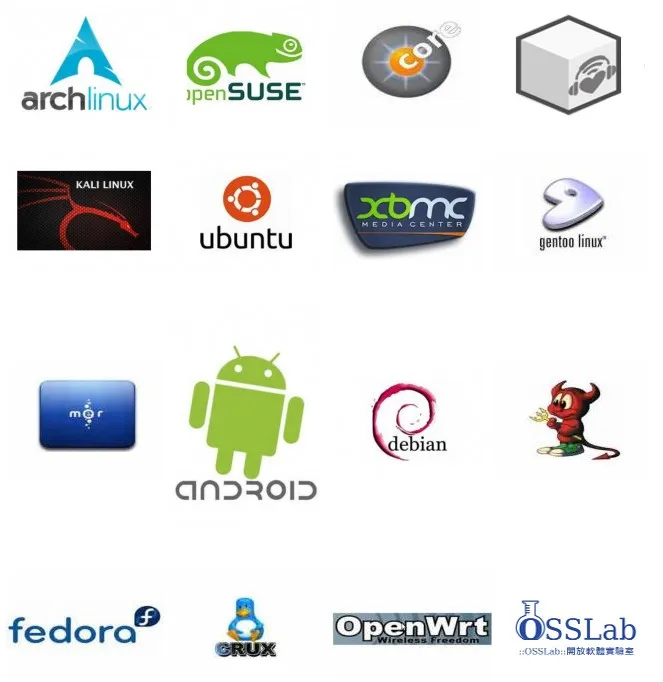
It is very insteresting to see how many linux distros already running on Cubieboard1/2/3

20140718225514

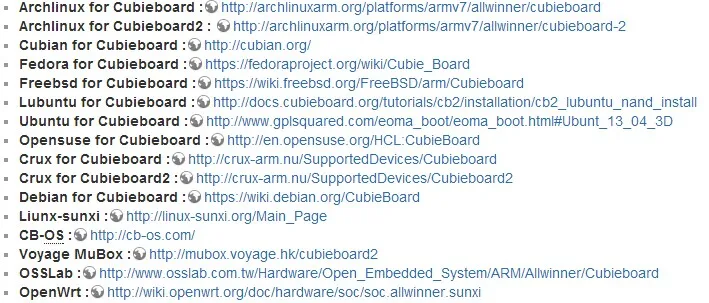
About the instructions how to run the linux distros list above, please look at the following link

20140730213311

T2zQ_JXppXXXXXXXXX-56843193

zhixian

Install OS in the NAND Flash

step1:Download Image

Assuming you are going to use cb_a20_android42_v1.04_8188eu-en_US

step2:Run Livesuit

Run Livesuit, select the image we just extract

step3:Enter FEL Mode

Press the FEL key when power up(the FEL key is the one under the USB OTG port), The CPU automatically enters FEL mode. Livesuit will start to write the image to Nand on board

zhixian

make SD card system(for example)

step1:Download the tool

Window-Win32DiskImager
web:sourceforge.net/projects/win32diskimager/
Linux - dd

step2:Download the image
Lubuntu - ubuntu with lxde desktop

step3:Insert the uSD card to card reader and
connect to PC

step4:Run Image Writer

step5:Choose the image and disk and click Write

step6:Done
zhixian

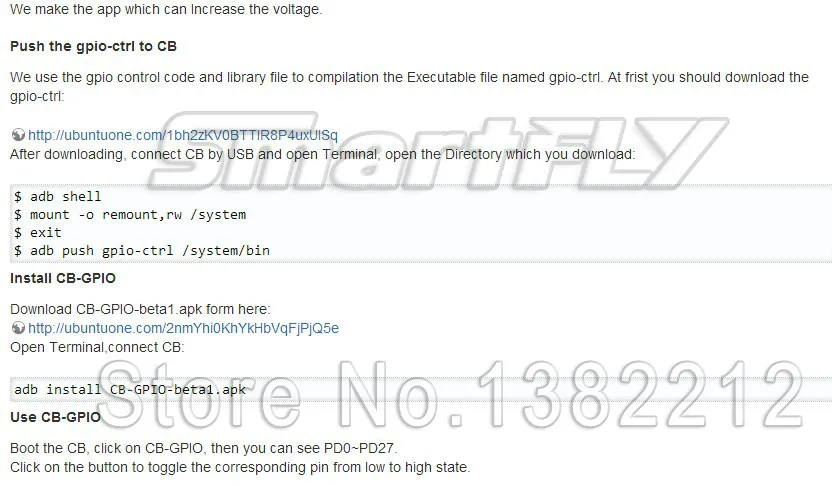
How to contrl GPIO(in android OS)

20140730214205

zhixian

cubieboard running lubuntu

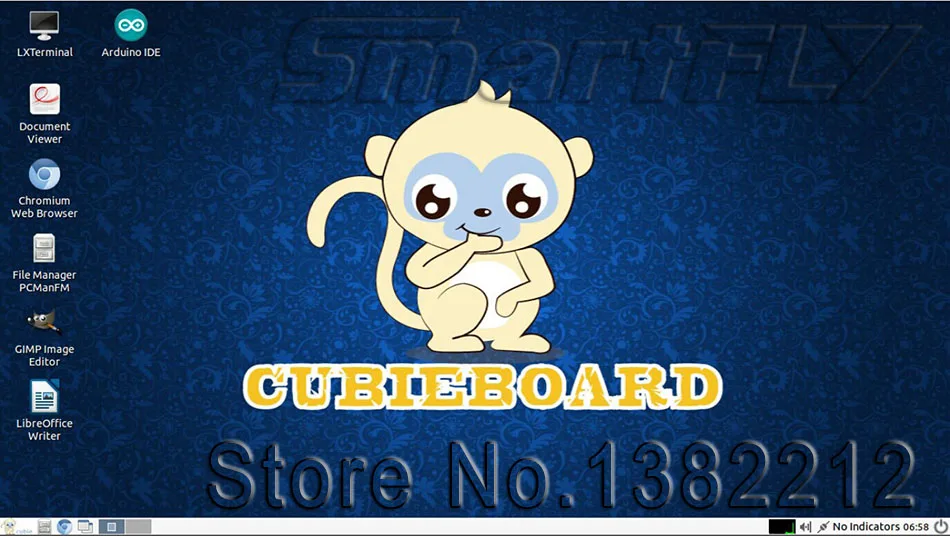
lubuntu Desktop

run-lxterminal-within-lubuntu_thumb

20140714_191656

20140714_191737

20140714_191715

Pack_List

Cubieboard2 Main board x 1

DC to USB cable x 1

SATA cable(data + power) x 1

CPU Fin x1

T2z3_JXsJXXXXXXXXX-56843193

Your feedback matters! By leaving a review, you can help other shoppers make informed decisions and help us improve our products and services. We value your opinion and appreciate you taking the time to share your experience with us.

CUSTOMER REVIEWS

0.0 0 Reviews
Write a review

Download

$0.00 $0.00
Please choose options.Back to top
Close
$0.00 $0.00