For downloading the Tools, Driver and Firmware use the following link:
?https://youyeetoo.com/blog/nanopi-r4se-ysdpr4senomac-187
Note: Please note the type that you want:
Bundle 1:NanoPi R4SE with MAC Address
Bundle 2: NanoPi R4SE no MAC Address
Introduction
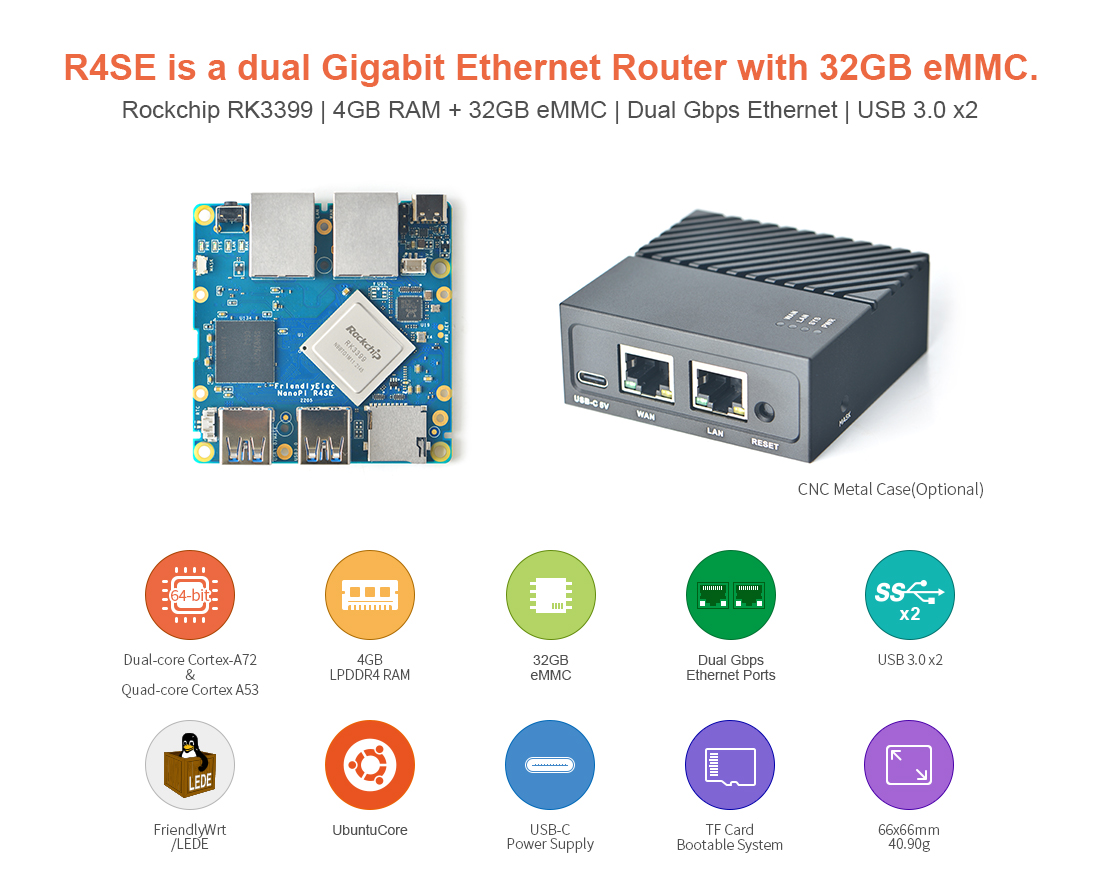
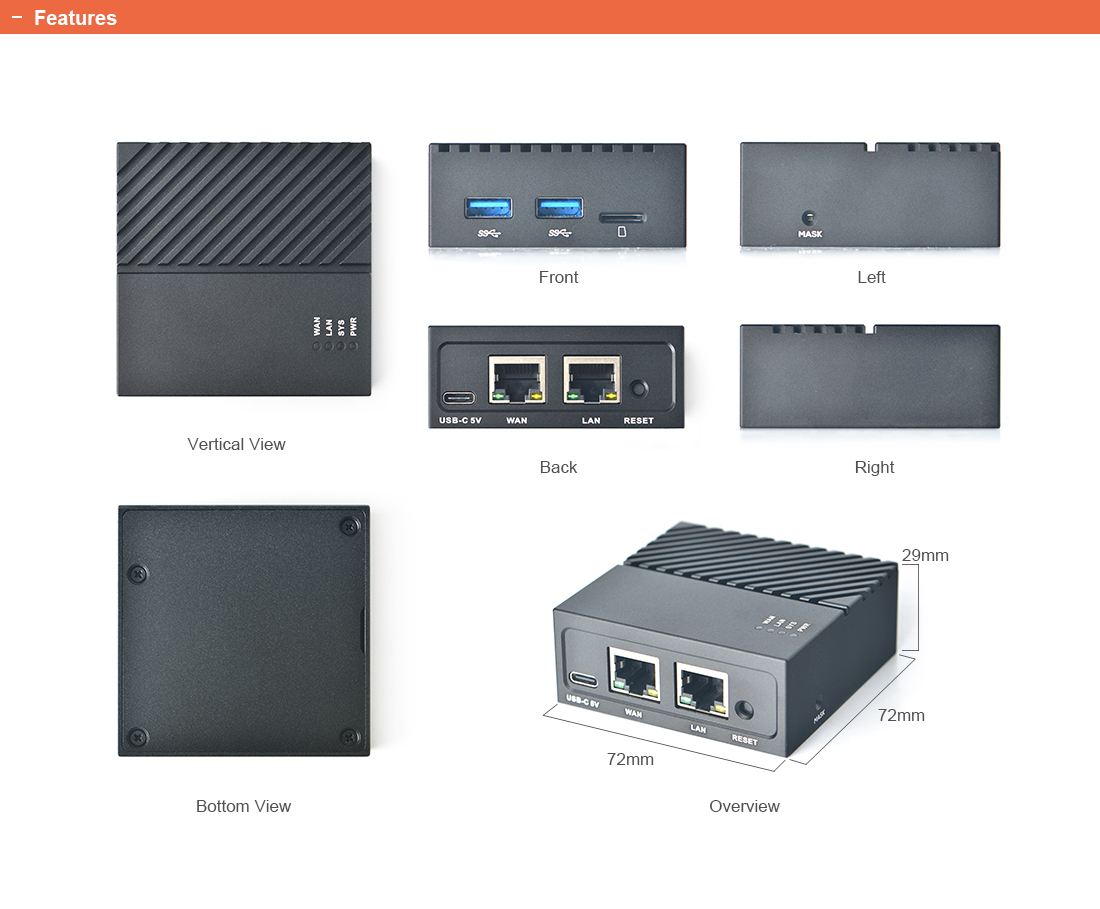
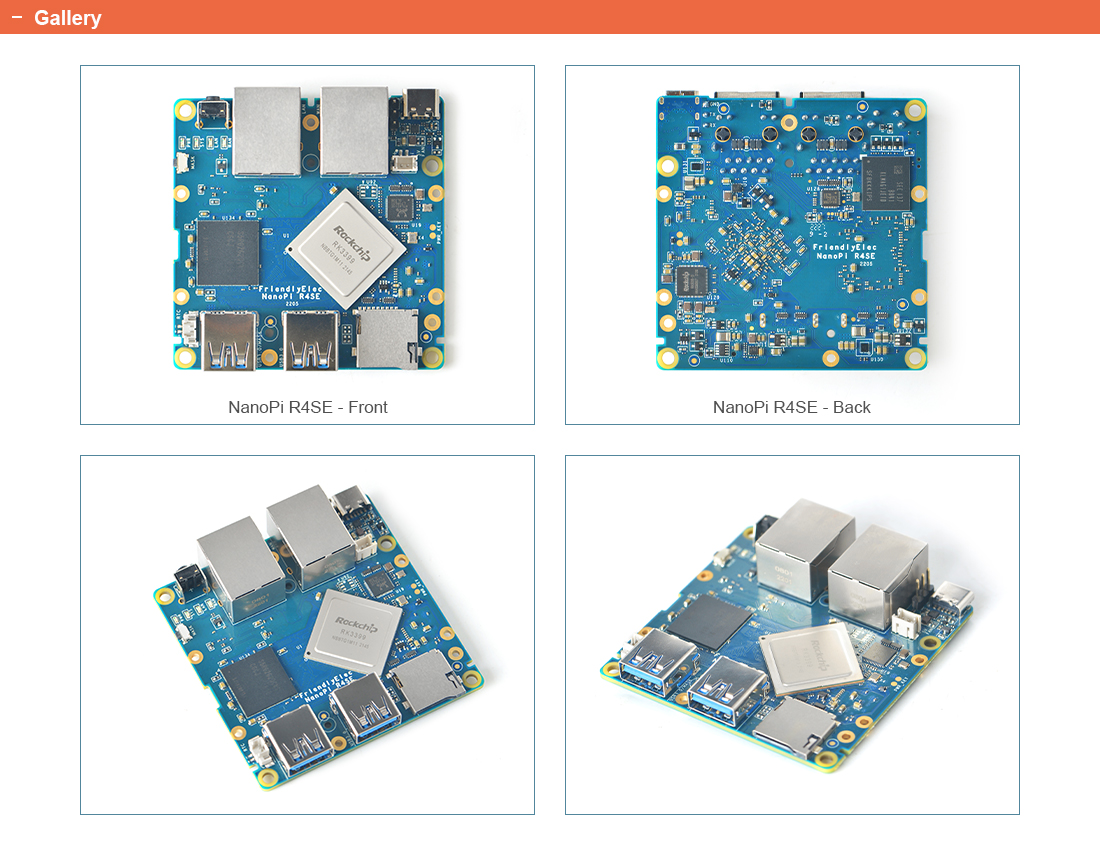
The NanoPi R4SE (as "R4SE") is a high-end FriendlyElec mini-router with edge-computing and dual Gbps Ethemnet ports. ltsdimension is 66 x 66 mm. It is powered through USB Type C port. lt works with FriendlyWRT, Ubuntu, Armbian etc.
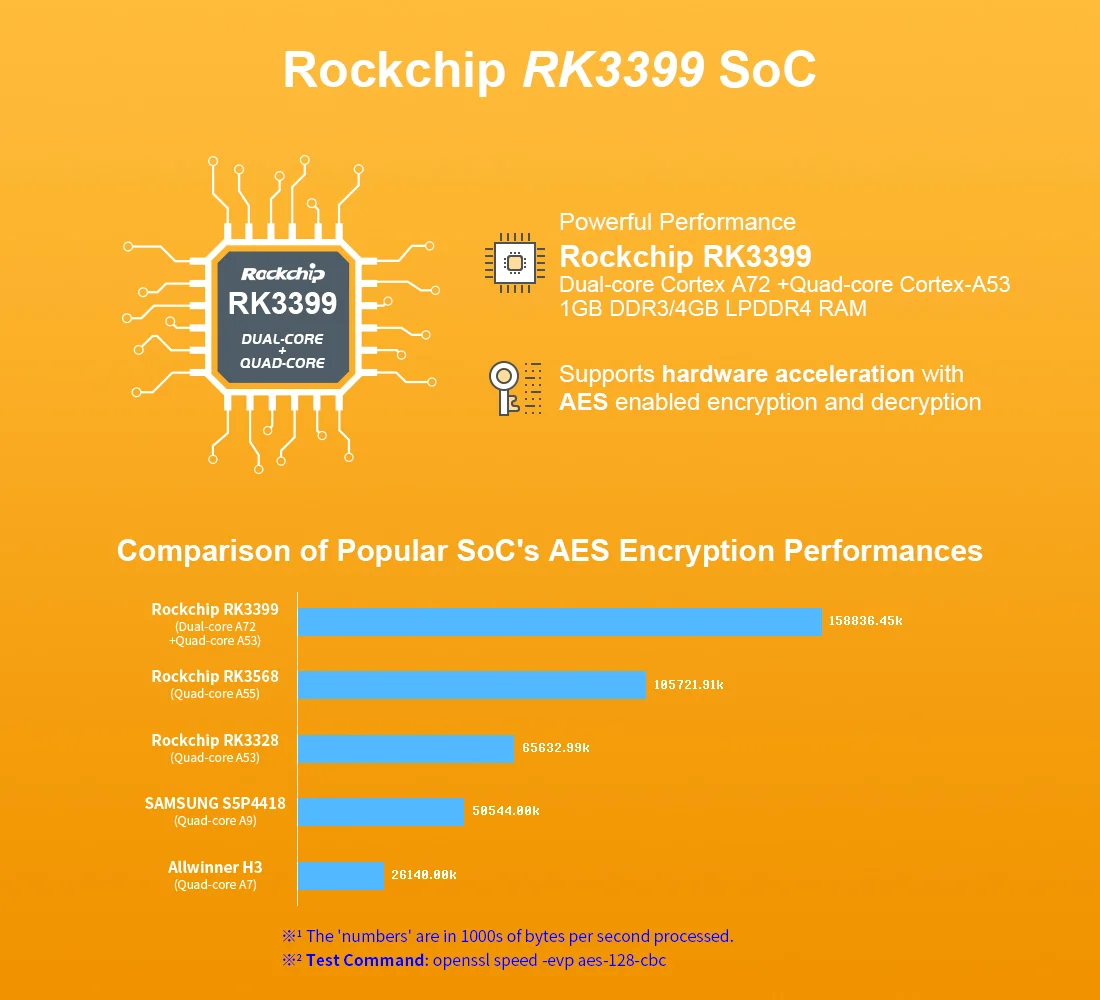
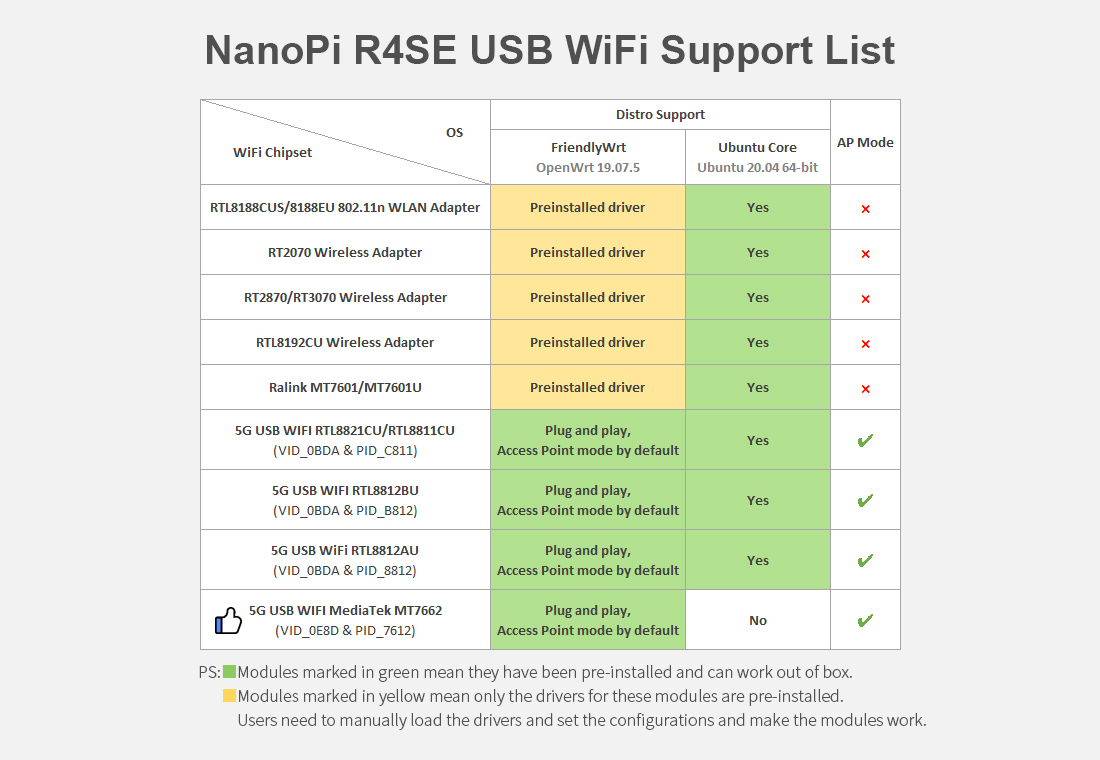
The NanoPi R4SE uses Rockchip's high performance RK3399 SoC.This SoC's frequency can reach as high as 1.8GHz.TheNanoPi R4SE has 4GB LPDDR4 RAM,32G eMMC and dual GbpsEthernet ports.It suports dynamic frequency scaling . lthas two USB 3.0 ports that can interface with external hard drives, 4G modules, USB HD cameras,USB WiFi modules etc. Inaddition, it has a MASK key. When the key is pressed the board will enter the USB installation mode.
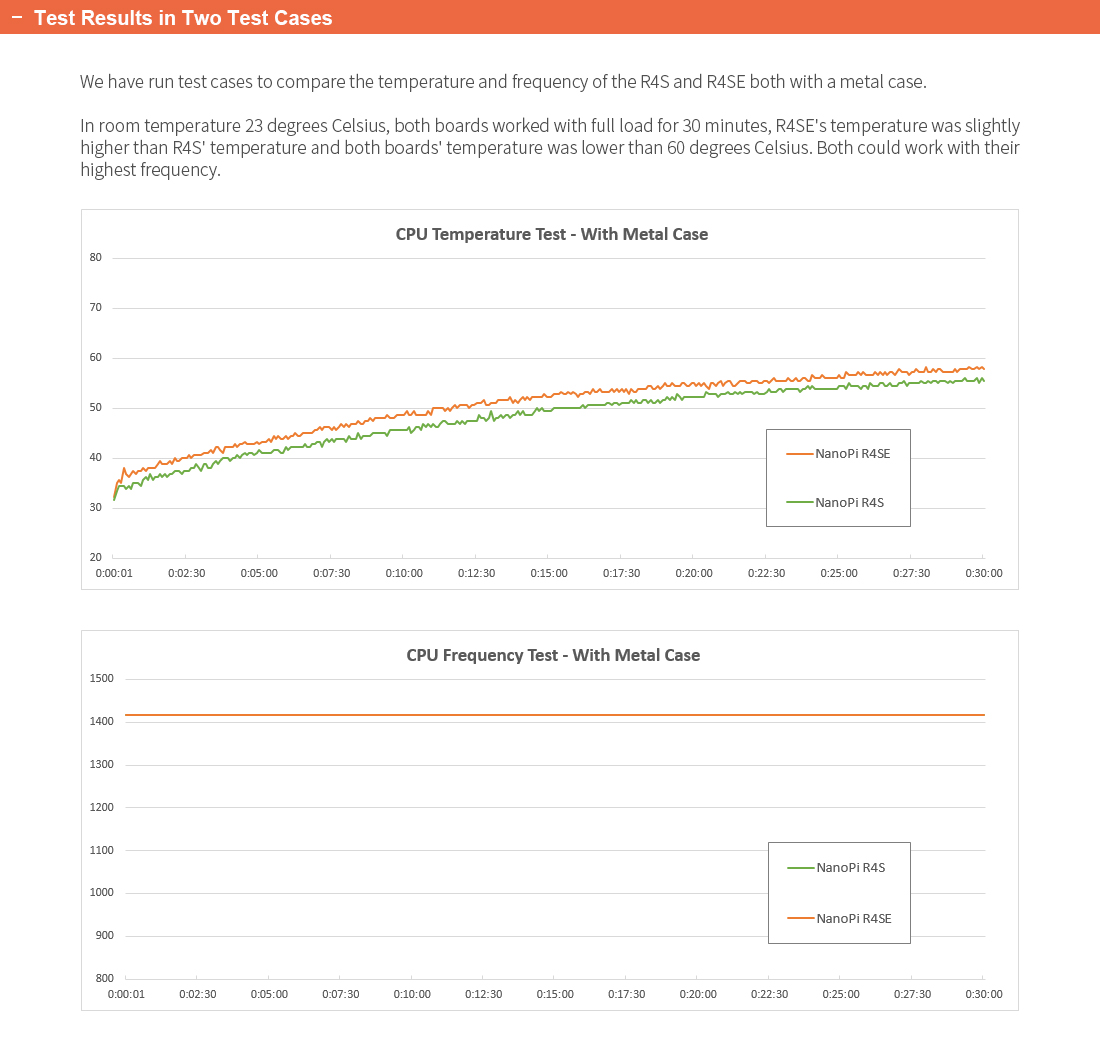
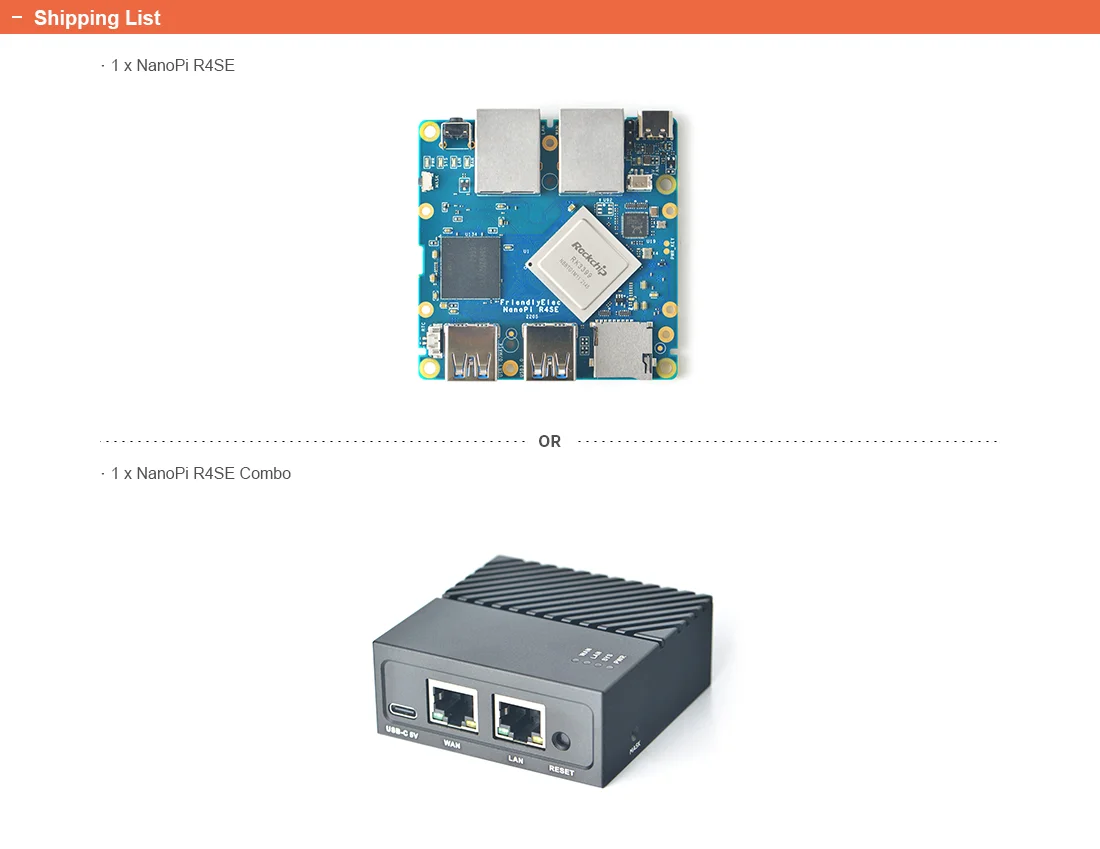
Specifically FriendlyElec released a CNc metal case with fine engineering works for the NanoPi R4SE.This metal case hasexcellent heat dissipation. In our test when assembled with this metal case the NanoPi R4SE could run smoothly withoutfrequency reduction.

Hardware Spec
SoC: Rockchip RK3399
CPU: big.LITTLE,Dual-Core Cortex-A72(up to 2.0GHz) + Quad-Core Cortex-A53(up to 1.5GHz)
GPU: Mali-T864 GPU,supports OpenGL ES1.1/2.0/3.0/3.1, OpenCL, DX11, and AFBC
VPU: 4K VP9 and 4K 10bits H265/H264 60fps decoding, Dual VOP, etc
PMU: RK808-D PMIC, cooperated with independent DC/DC, enabling DVFS, software power-down, RTC wake-up, system sleep mode
RAM: 4GB LPDDR4
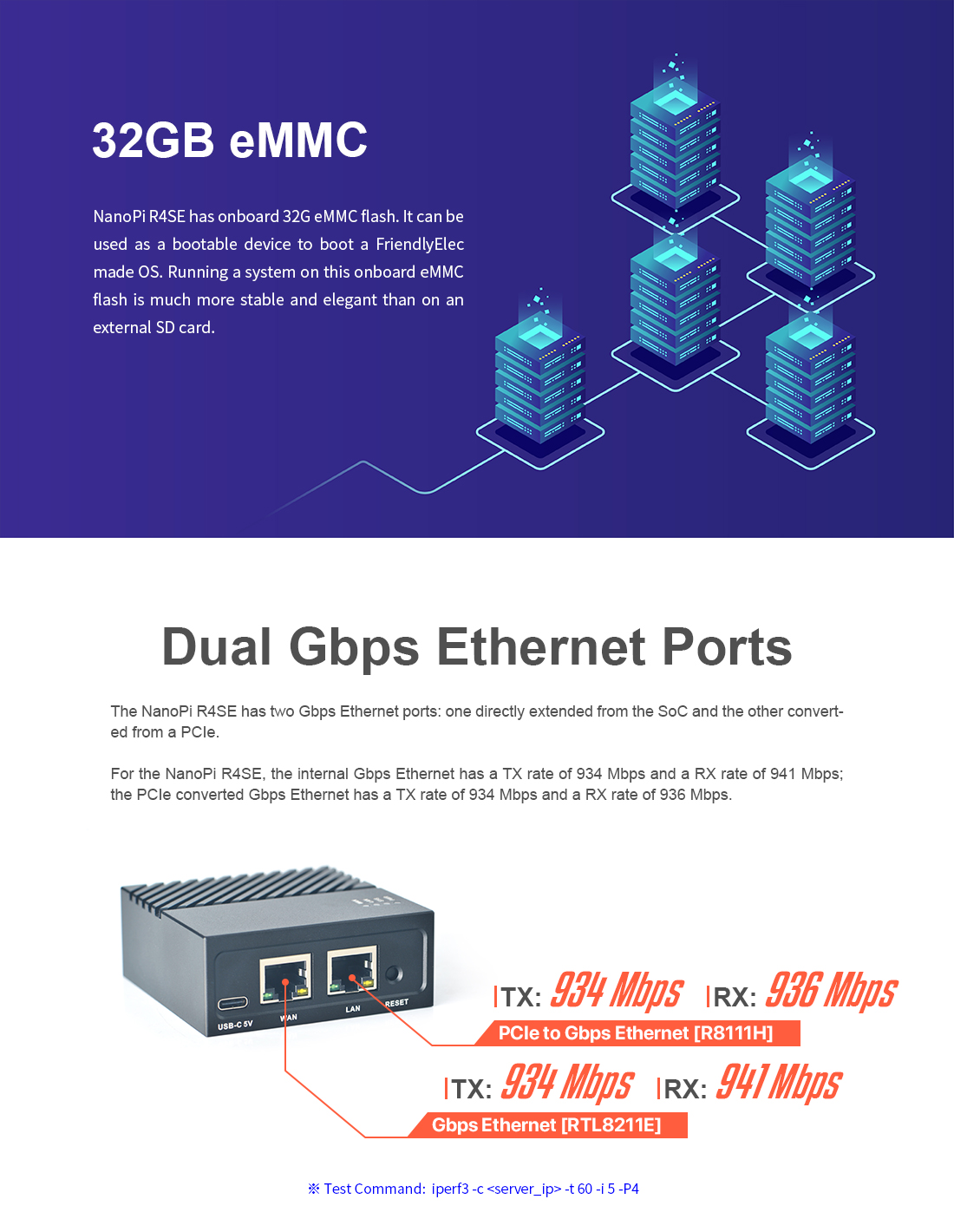
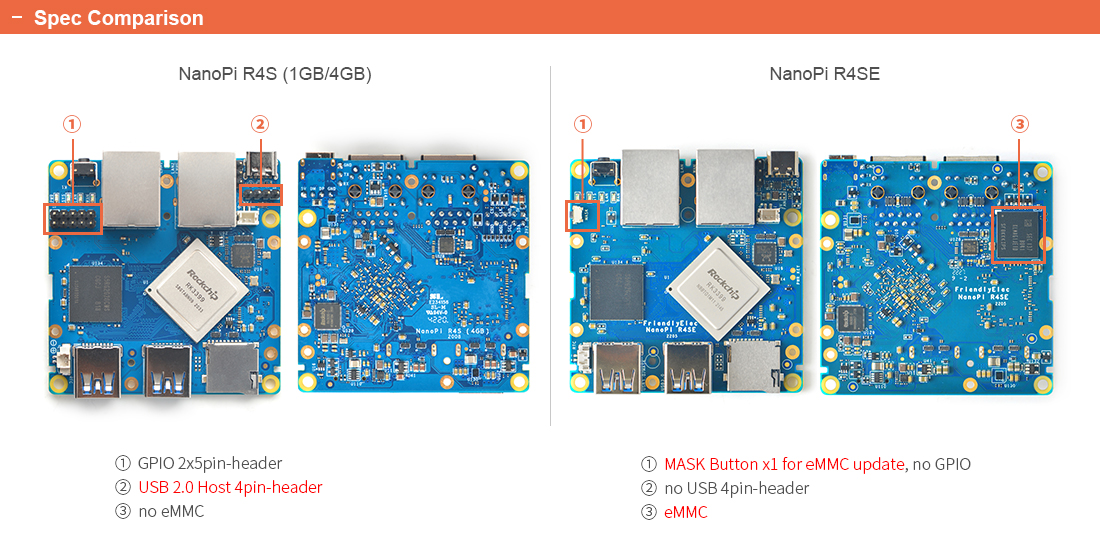
Flash: 32GB eMMC
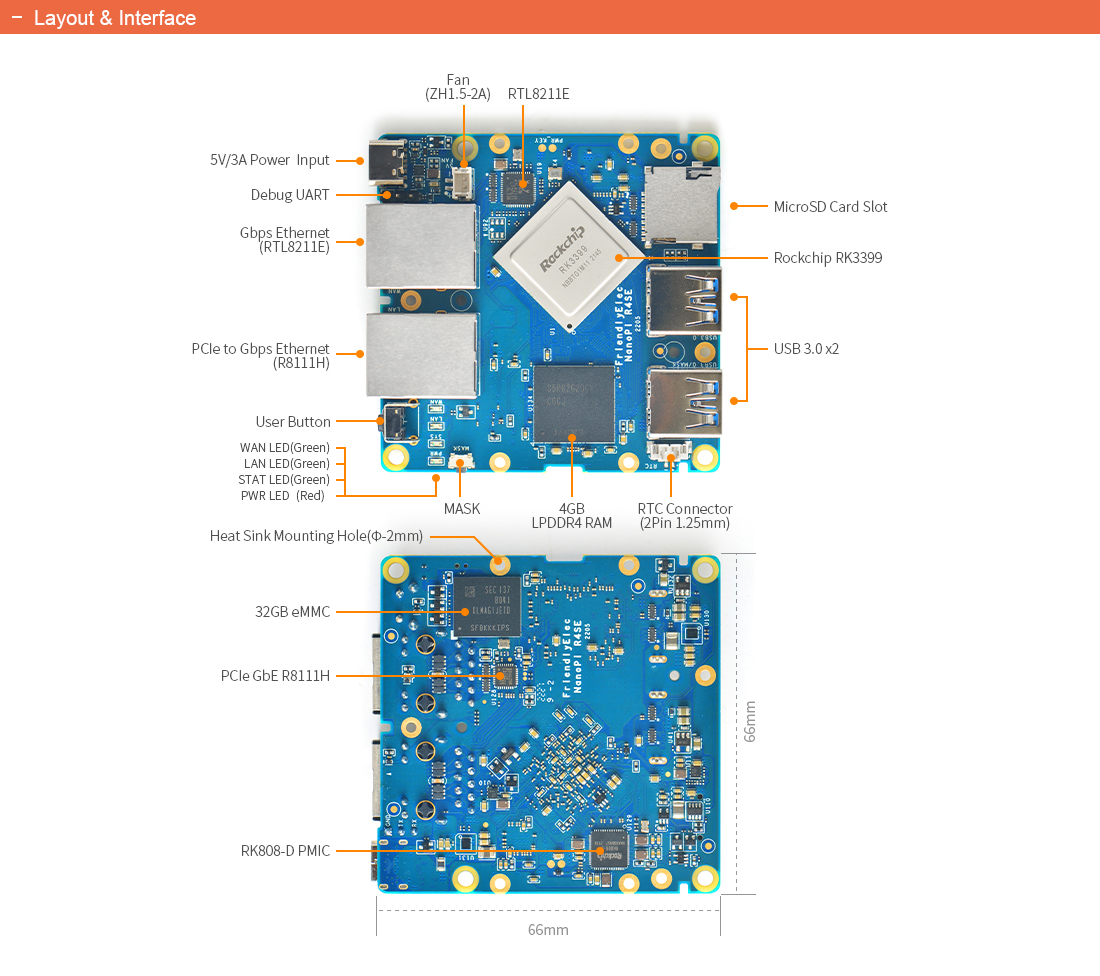
Ethernet: one Native Gigabit Ethernet, and one PCIe Gigabit Ethernet
USB: two USB 3.0 Type-A ports
microSD Slot x 1
Debug: one Debug UART, 3 Pin 2.54mm header, 3V level, 1500000bps
LEDs: 1 x power LED and 3 x GPIO Controlled LED (SYS, LAN, WAN)
others:
2 Pin 1.27/1.25mm RTC battery input connector
one User Button
one MASK Button for eMMC upgrade
one 5V Fan connector
Power supply: DC 5V/3A, via USB-C connector
PCB: 8 Layer, 66 mm x 66 mm
Temperature measuring range: 0℃ to 80℃


For detailed steps refer to:https://github.com/friendlyarm/cpu-temperature-test-script